【AWS Kiro 進階】實作 Hooks 自動化開發流程

上週 這篇 一同走過 Kiro 的 MCP 實作流程,理解 Kiro 如何透過 MCP 將 AI 連接到其他資料,本篇將延伸這個概念,帶你進一步探索 Kiro 的另一個強大能力 Agent Hooks。

什麼是 Hooks?
Agent Hooks 是一種能在特定事件發生時自動觸發 AI 代理行為的自動化工具。當 IDE 中發生特定事件,如儲存、建立、刪除檔案時,Hooks 會自動執行預先定義的流程,從而簡化開發工作流程。
- Kiro Doc - Hooks

前置準備

  1. 安裝 Kiro IDE
  2. 在 Kiro 中打開項目,如fillup-web

文件產生器

當更新程式碼時,自動從目前檔案中擷取結構化資訊,如函式、類別、參數、回傳值,再依照專案規範自動補齊說明、生成使用範例,更新至 README.md,讓文件維持一致性與最新狀態。

新增 Hooks

點擊「Open Kiro Hook UI」。
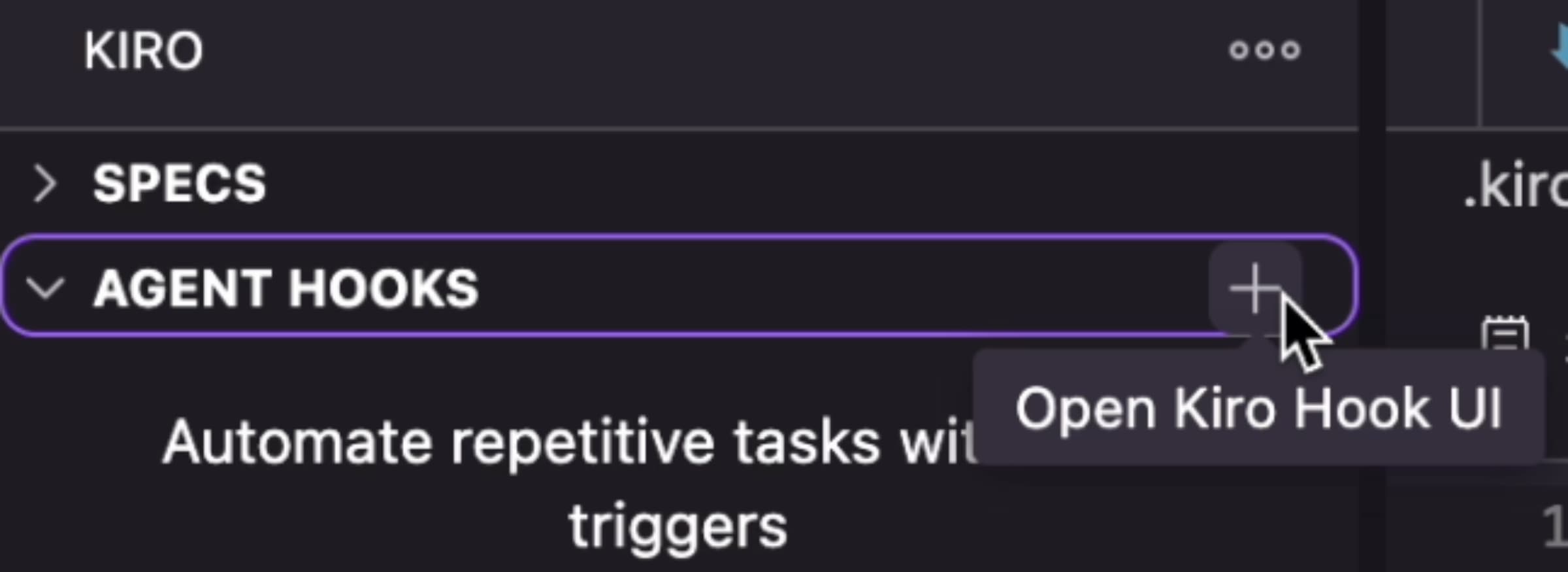
kiro-hooks-add-hook-open-kiro-hook-ui

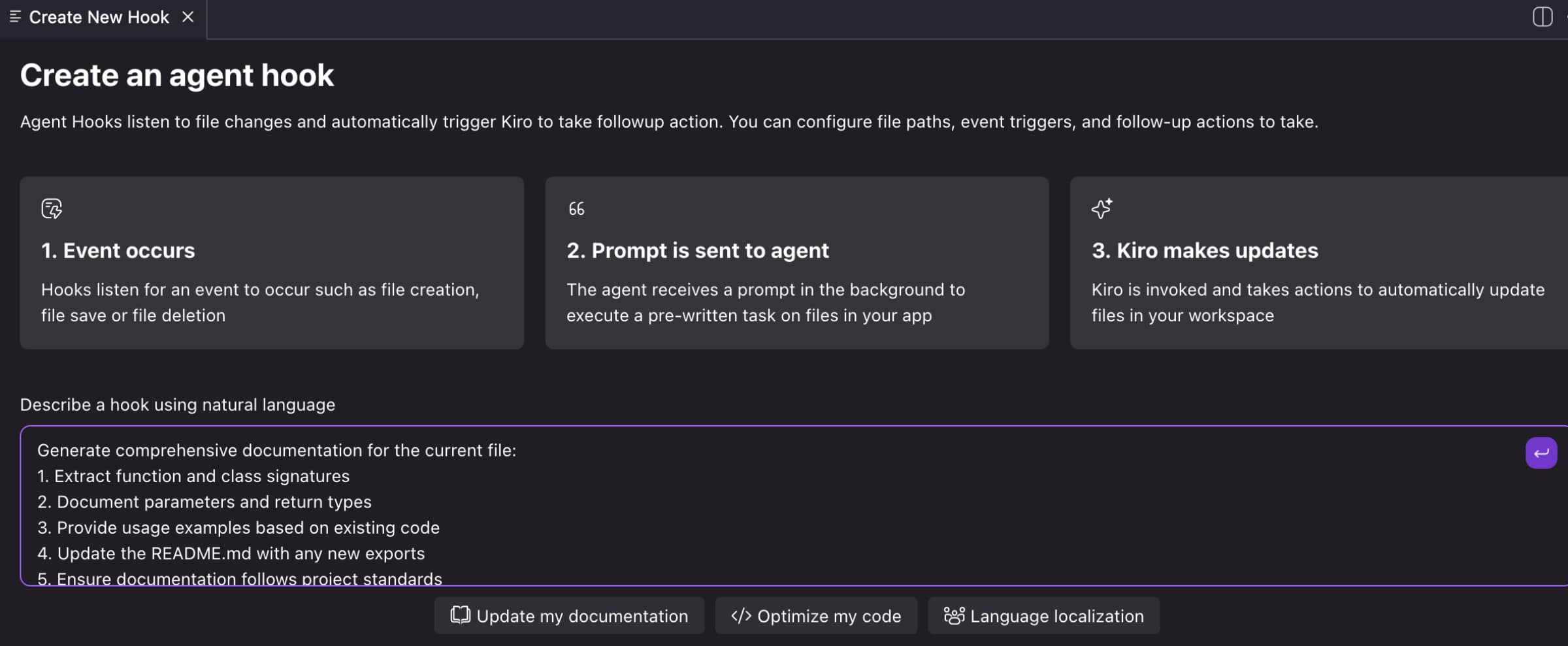
輸入提示詞後,Kiro 自動生成 Hook 設定內容。
kiro-hooks-add-hook-create-an-agent-hook

文件產生器提示詞:
Generate comprehensive documentation for the current file:
1. Extract function and class signatures
2. Document parameters and return types
3. Provide usage examples based on existing code
4. Update the README.md with any new exports
5. Ensure documentation follows project standards
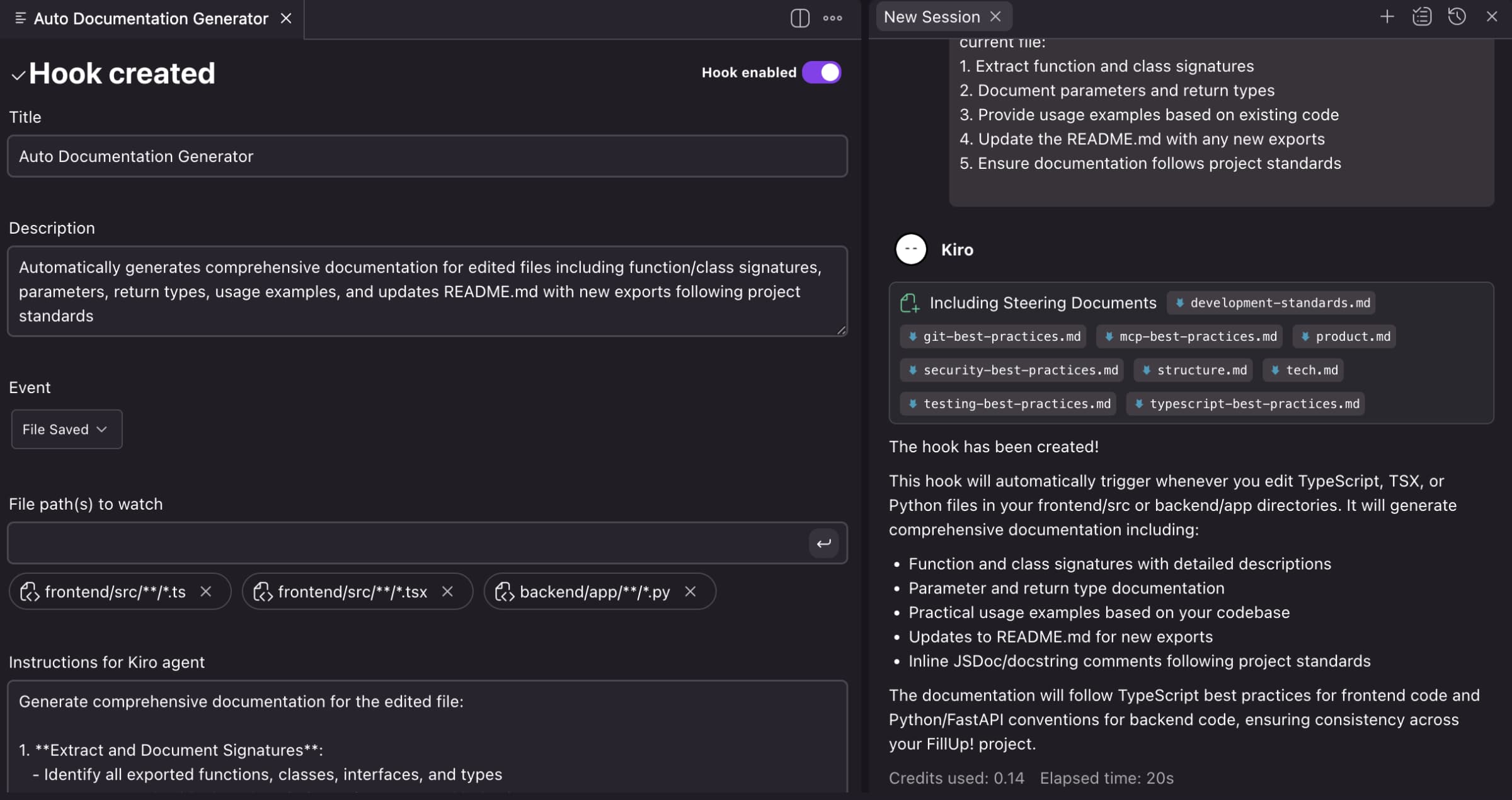
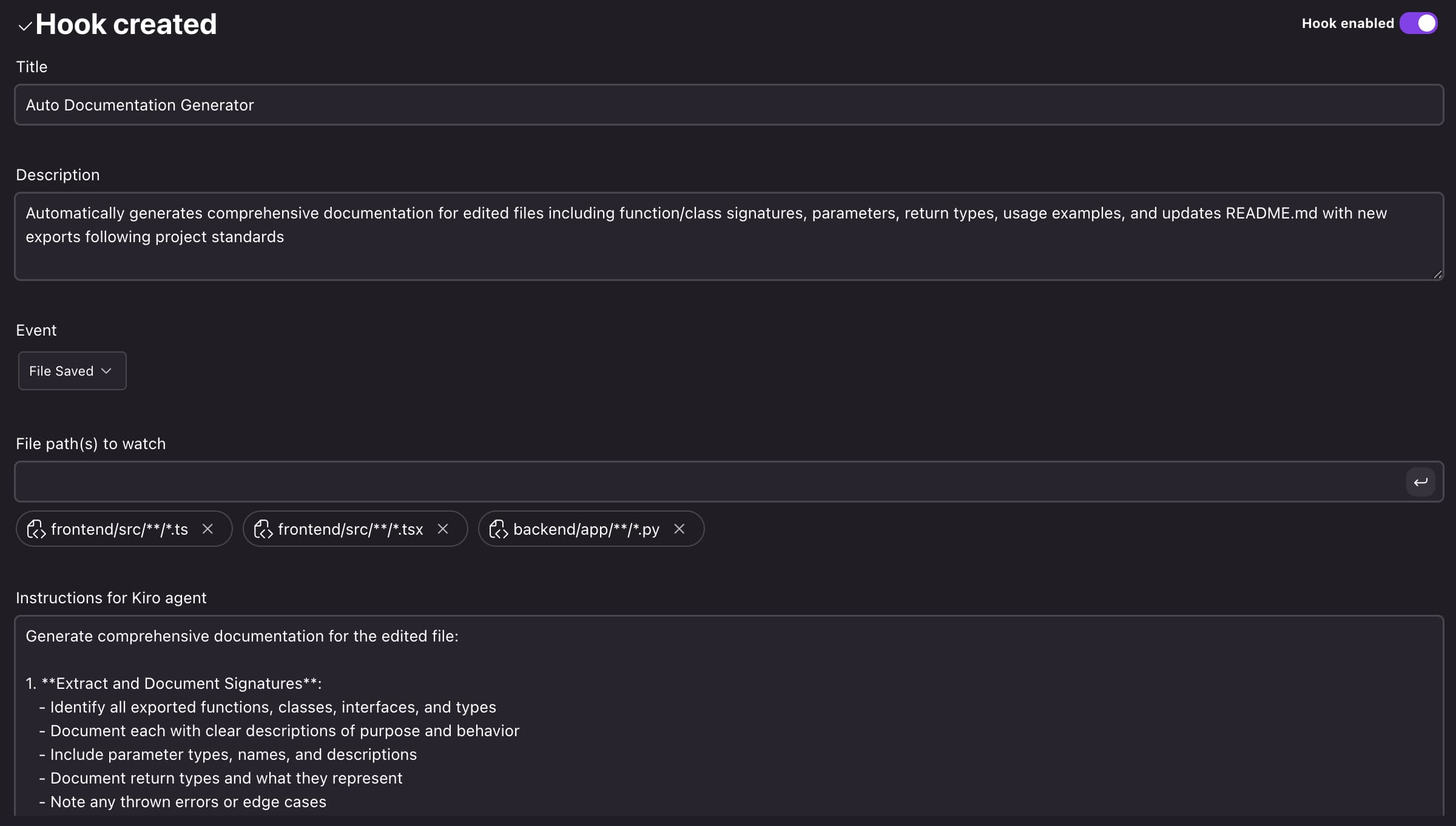
kiro-hooks-add-hook-hook-created

設定場景

偵測前端 TypeScript/TS/TSX 及後端 Python 檔案的變更後更新 README.md

  1. Event: File Saved
  2. File path(s) to watch: frontend/src/**/*.tsfrontend/src/**/*.tsxbackend/app/**/*.py

kiro-hooks-add-hook-hook-enabled

1
2
3
4
5
6
7
8
9
10
11
12
13
14
15
16
17
18
19
20
21
22
23
24
25
26
27
28
29
30
31
32
33
34
35
36
37
<!-- Instructions for Kiro agent -->
Generate comprehensive documentation for the edited file:

1. **Extract and Document Signatures**:
- Identify all exported functions, classes, interfaces, and types
- Document each with clear descriptions of purpose and behavior
- Include parameter types, names, and descriptions
- Document return types and what they represent
- Note any thrown errors or edge cases

2. **Provide Usage Examples**:
- Create practical usage examples based on existing code patterns
- Show common use cases and integration patterns
- Include examples of error handling where applicable
- Reference related components or services

3. **Update README.md**:
- Add or update entries for any new exports
- Maintain consistent formatting with existing documentation
- Include links to related documentation
- Update API reference sections if applicable

4. **Follow Project Standards**:
- Use TypeScript best practices for frontend files
- Follow Python/FastAPI conventions for backend files
- Maintain consistency with existing documentation style
- Include JSDoc/docstring comments in the source code
- Ensure documentation is clear, concise, and actionable

5. **Documentation Format**:
- Add inline comments for complex logic
- Use proper JSDoc format for TypeScript/React components
- Use Python docstrings (Google or NumPy style) for backend code
- Include type information and examples in comments
- Link to relevant external documentation when appropriate

Please generate the documentation and update both the source file with inline documentation and the README.md with any new exports or significant changes.

實作成果

我以下是執行第2個 Spec 的第1個任務,可參考 Kiro 為第2個 Specs「goals-and-settings-prompt」所產生的文件內容: Requirements & Design & Task list

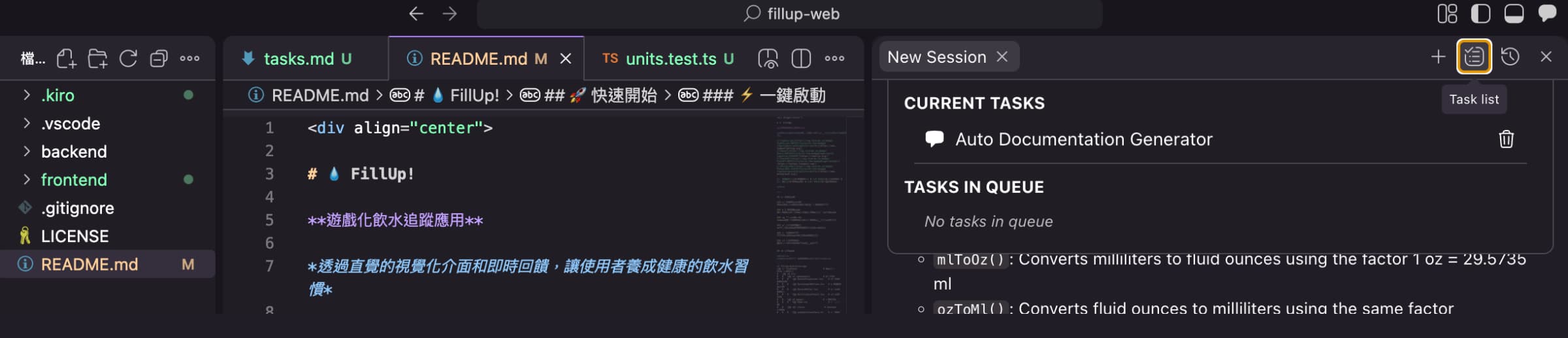
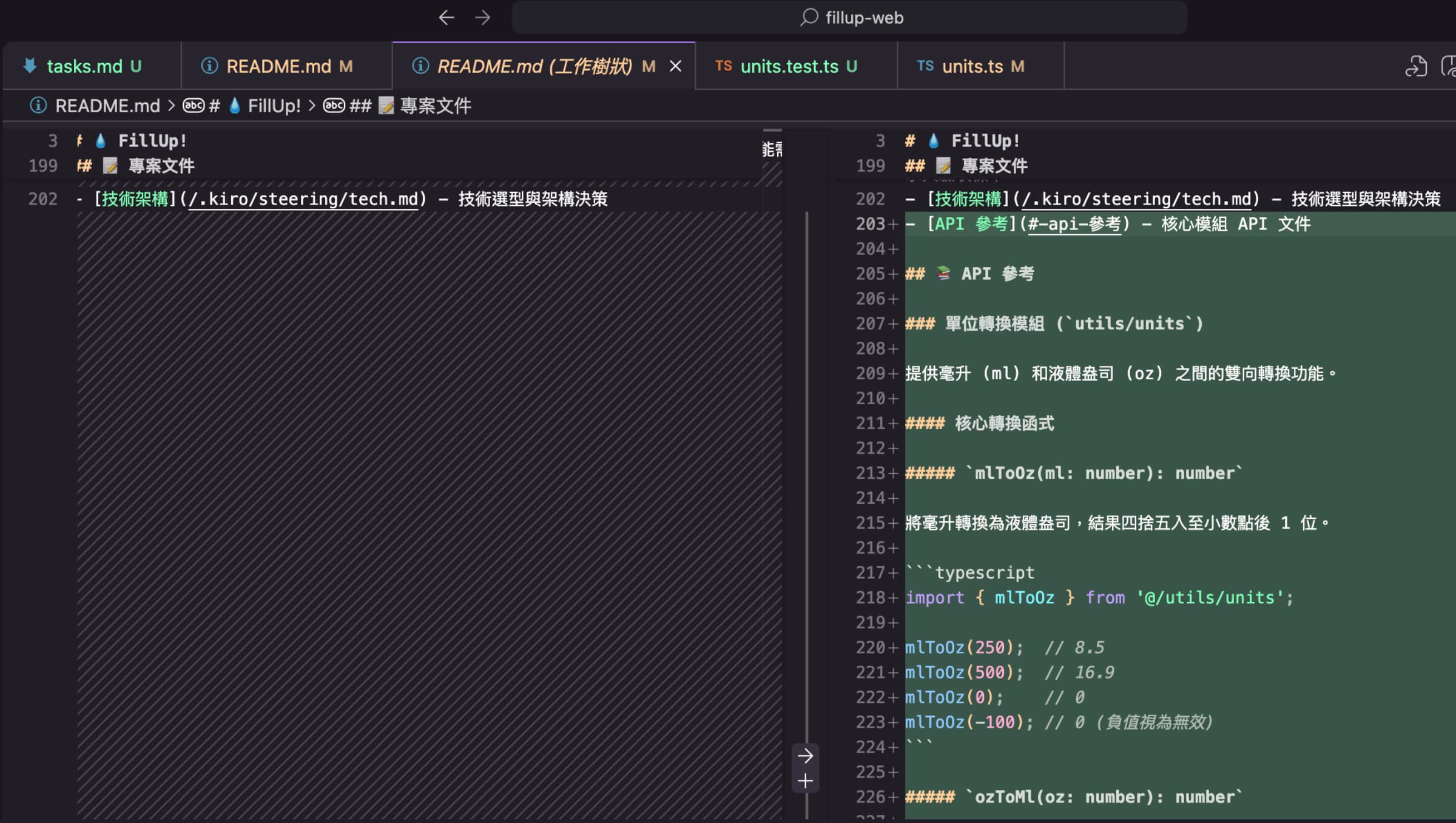
當 Kiro 偵測到檔案有變更時,就會自動排程並更新 README.md 文件。
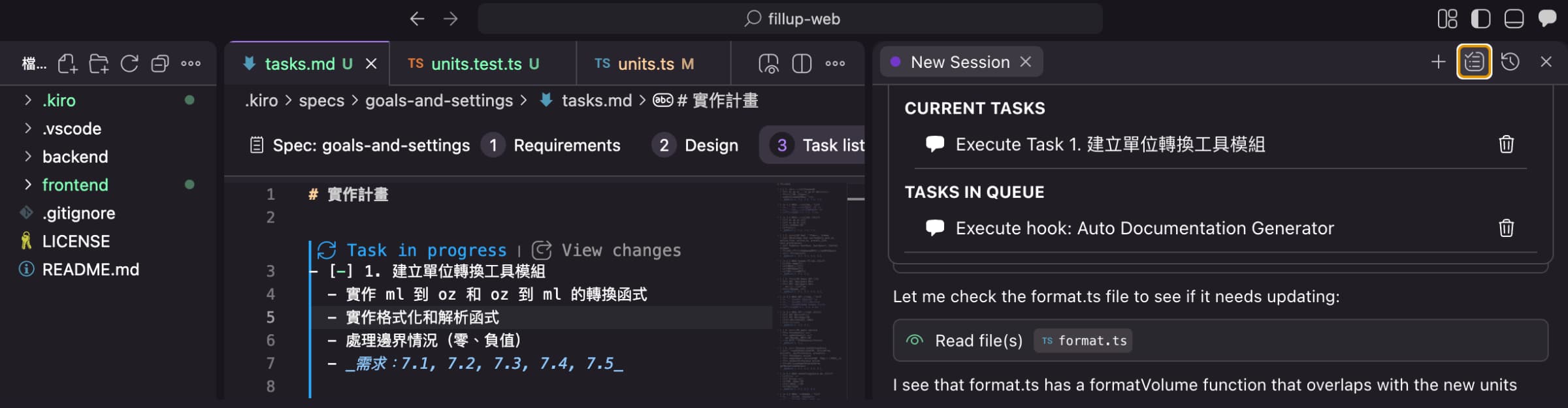
kiro-hook-execute-hook-1

kiro-hook-execute-hook-2

kiro-hook-execute-hook-3

同步翻譯

當繁體中文文檔更新時,系統會自動比對新增或修改的字串,並檢查所有其他語系檔案是否一致。對於新增的字串會自動加入至其他語系的檔案中並自動翻譯,而對於修改的字串則會在其他語系的檔案中自動翻譯,同時產生一份所有語系的更新摘要。

新增 Hooks

同步翻譯提示詞:
When an Traditional Chinese locale file is updated:
1. Identify which string keys were added or modified
2. Check all other language files for these keys
3. For missing keys, automatically translate from the source language to the target languages
4. For modified keys, update the translation to match the modified source text
5. Generate a summary of changes across all languages

設定場景

偵測 /zh-TW/translation.json 檔案的變更,自動更新所有其他語系文件。(雖然提示詞及指令有生成摘要,雖然實際執行後發現不太會主動生成摘要,不過瑕不掩瑜🤭。)

  1. Event: File Saved
  2. File path(s) to watch: frontend/src/locales/zh-TW/translation.json
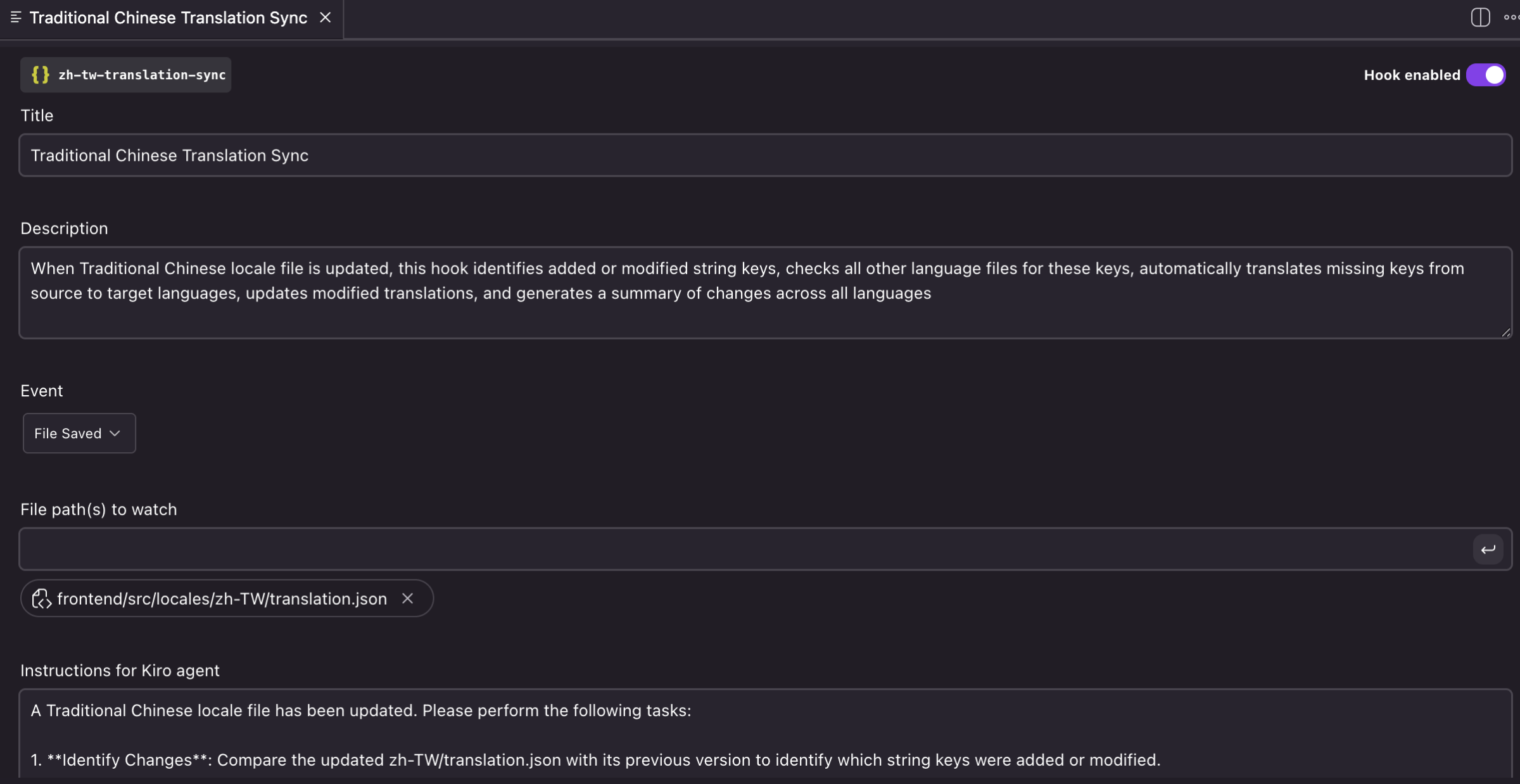
kiro-hooks-traditional-chinese-translation-sync

1
2
3
4
5
6
7
8
9
10
11
12
13
14
15
16
17
18
19
20
21
22
23
<!-- Instructions for Kiro agent -->
A Traditional Chinese locale file has been updated. Please perform the following tasks:

1. **Identify Changes**: Compare the updated zh-TW/translation.json with its previous version to identify which string keys were added or modified.

2. **Check Other Locale Files**: Examine all other language files in frontend/src/locales/ (en/translation.json, zh-CN/translation.json) for these keys.

3. **Translate Missing Keys**: For any keys that exist in zh-TW but are missing in other language files:
- Translate from Traditional Chinese to the target language (English for en/, Simplified Chinese for zh-CN/)
- Add the translated keys to the respective files
- Maintain the same JSON structure and formatting

4. **Update Modified Keys**: For keys that were modified in zh-TW and already exist in other languages:
- Update the translations in other language files to match the modified source text
- Ensure semantic consistency across all translations

5. **Generate Summary**: Create a comprehensive summary including:
- List of added keys with translations for each language
- List of modified keys with before/after translations
- Total count of changes per language file
- Any keys that might need manual review due to context or complexity

Please ensure all JSON files remain valid and properly formatted after updates.

實作成果

我更改 zh-TW/translation.json 檔案中的「操作已被使用者取消。」字串後,Kiro 會排程 Hook「Traditional Chinese Translation Sync」,然後自動更新其他語系檔案。
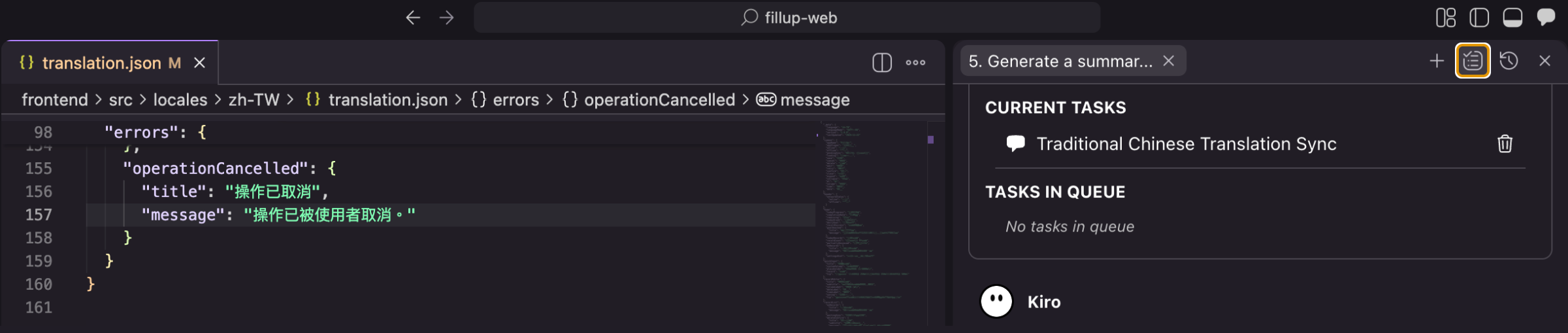
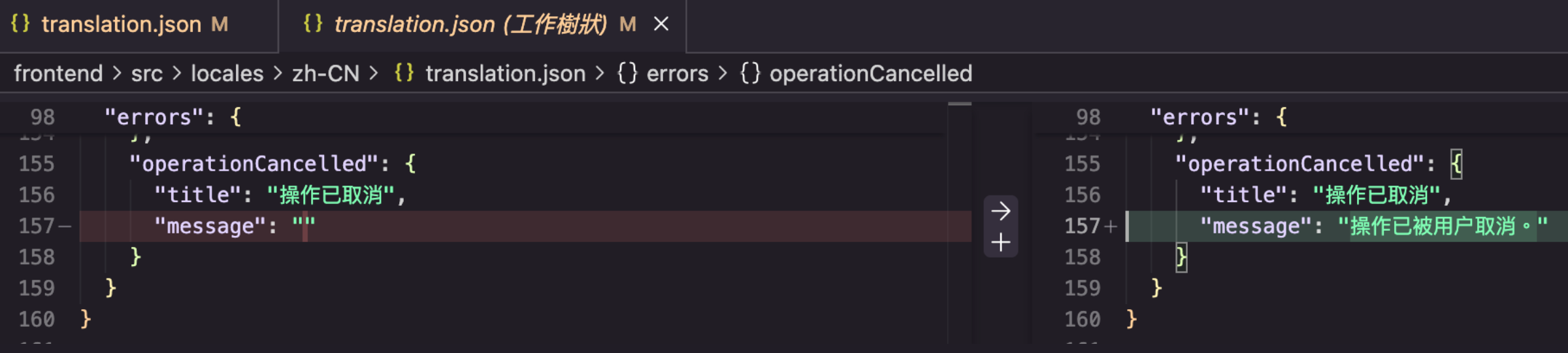
kiro-hooks-execute-traditional-chinese-translation-sync-1

kiro-hooks-execute-traditional-chinese-translation-sync-2

我在 zh-TW/translation.json 檔案中新增字串後,Kiro 會排程 Hook「Traditional Chinese Translation Sync」,然後自動更新其他語系檔案。
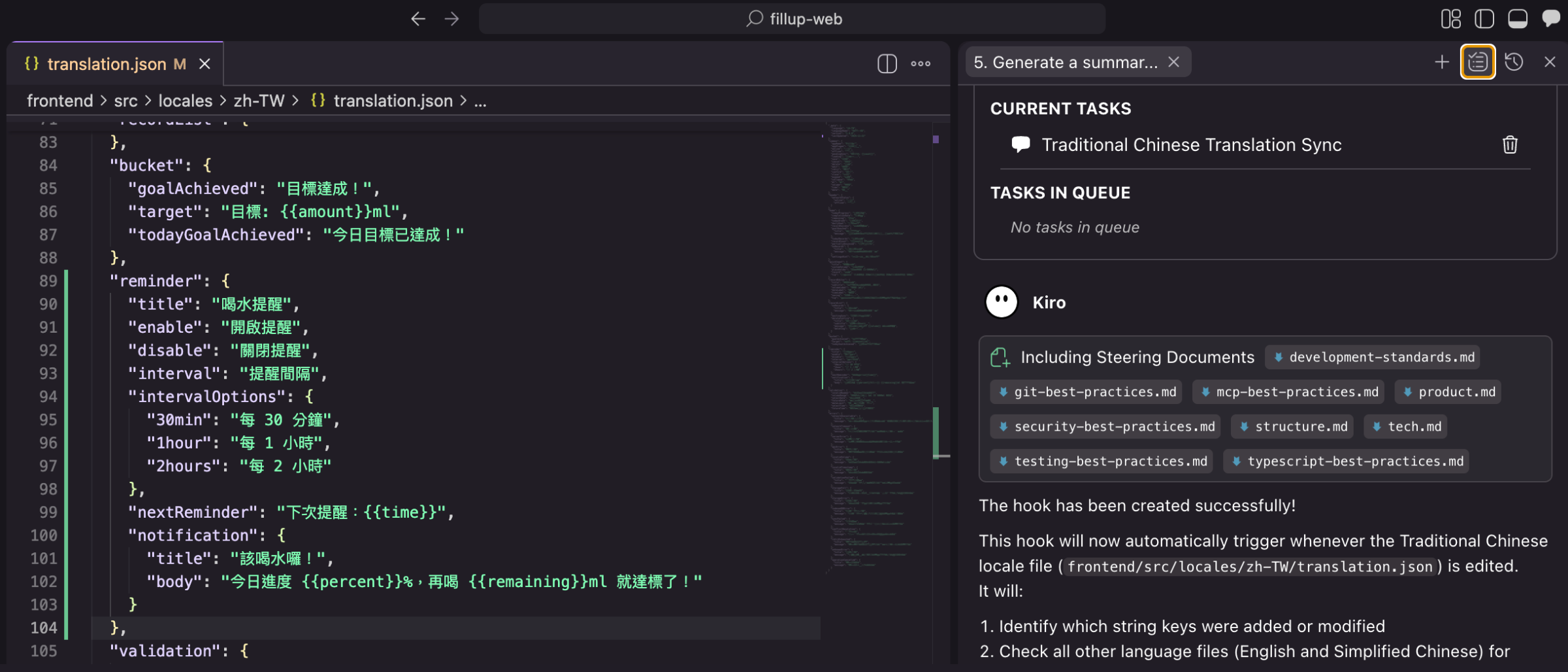
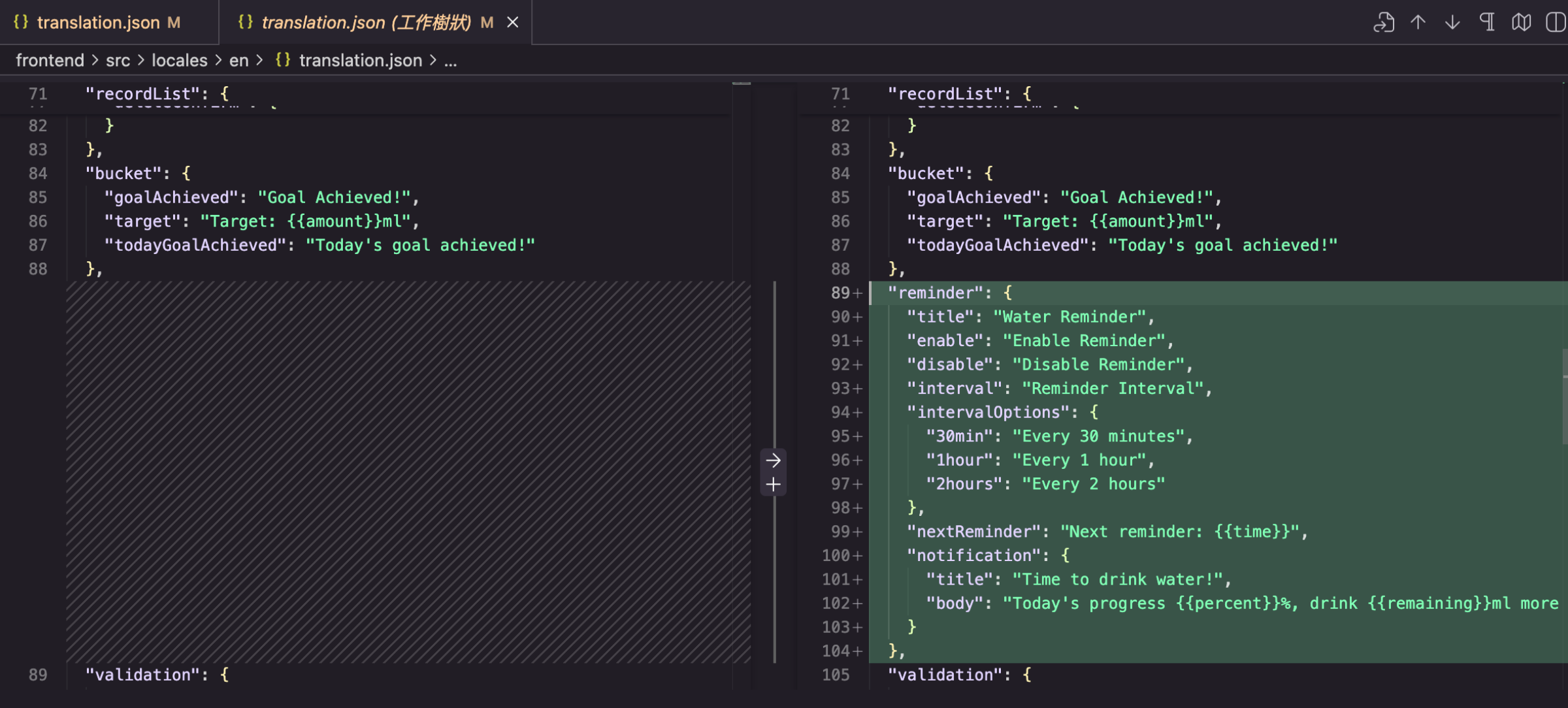
kiro-hooks-execute-traditional-chinese-translation-sync-3

kiro-hooks-execute-traditional-chinese-translation-sync-4

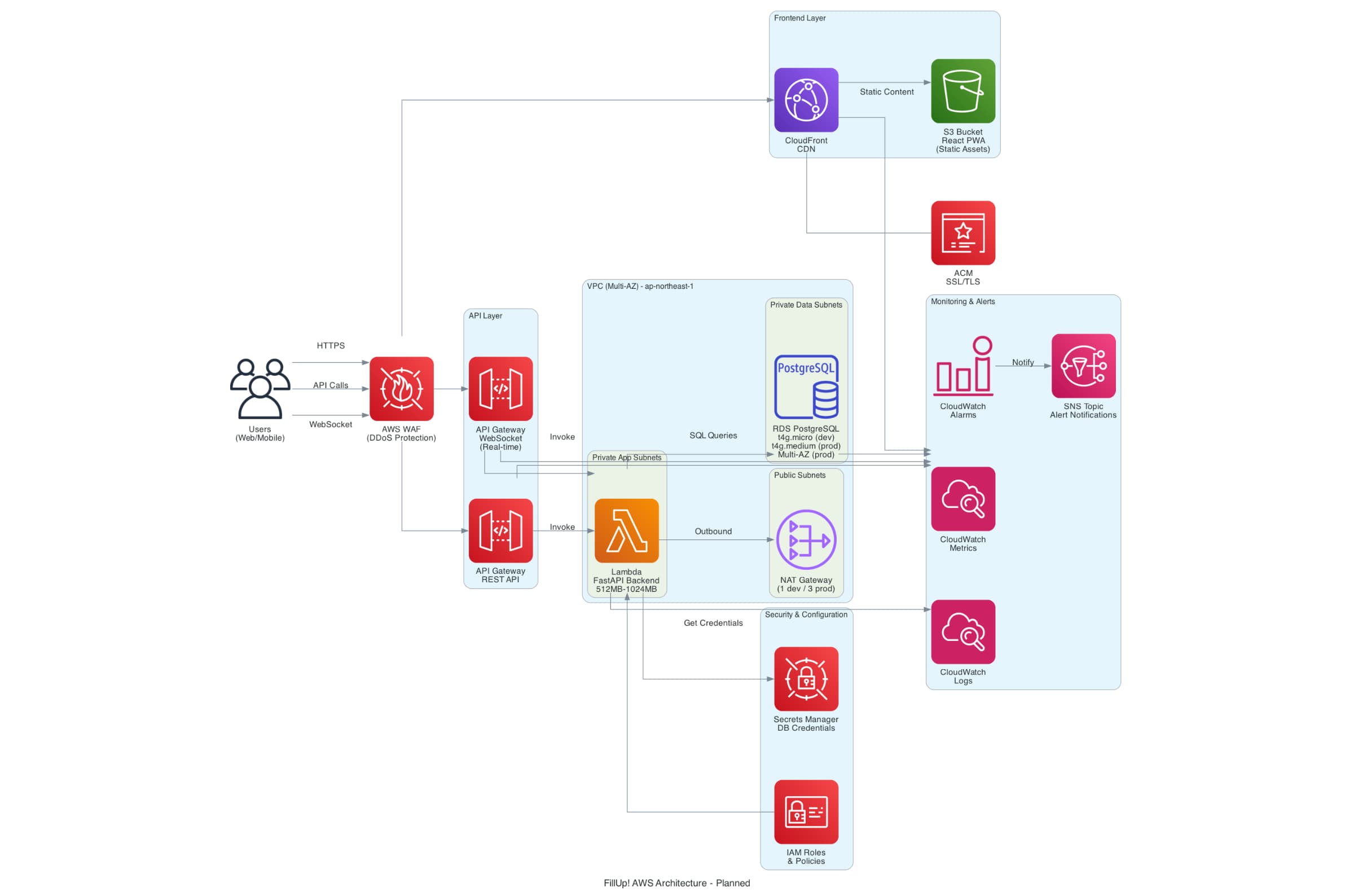
AWS架構圖

監控 CDK 文件的變動,並使用 AWS Diagram MCP Server 工具,自動生成對應的 AWS 雲端架構圖。

💡什麼是 AWS CDK?
AWS 雲端開發套件(AWS Cloud Development Kit, AWS CDK)是一種基礎架構即程式碼(Infrastructure as Code, IaC)的軟體開發框架,可使用 TypeScript, JavaScript, Python, Java, C#/.Net, Go 等程式語言定義 AWS 雲端基礎架構,CDK 會將程式碼轉換為 CloudFormation 模板,並自動佈建 AWS 雲端資源。
AWS CDK 包含兩個主要部分:
  • AWS CDK Construct Library: 預先編寫的模組化和可重複使用的程式碼,稱為建構(Construct),可以使用、修改和整合來快速開發雲端基礎架構。
  • AWS CDK Toolkit: 管理與 CDK 應用程式互動的工具。
AWS CDK 詳細說明可參考 AWS 官方文件 - AWS CDK

新增 Hooks

AWS架構圖提示詞:
1) Analyze the modified CDK files and generate or update AWS service architecture diagrams using the Python diagrams package DSL.
2) Parse the CDK code to identify AWS services, their relationships, and data flow.
3) If the previous diagram not exist, create a visual representation showing the infrastructure components, connections, and dependencies. Include proper grouping for VPCs, subnets, and logical service boundaries.
4) Delete the previous diagram before creating a new one. Output the Python diagrams code that can be executed to generate the architecture diagram.

設定場景

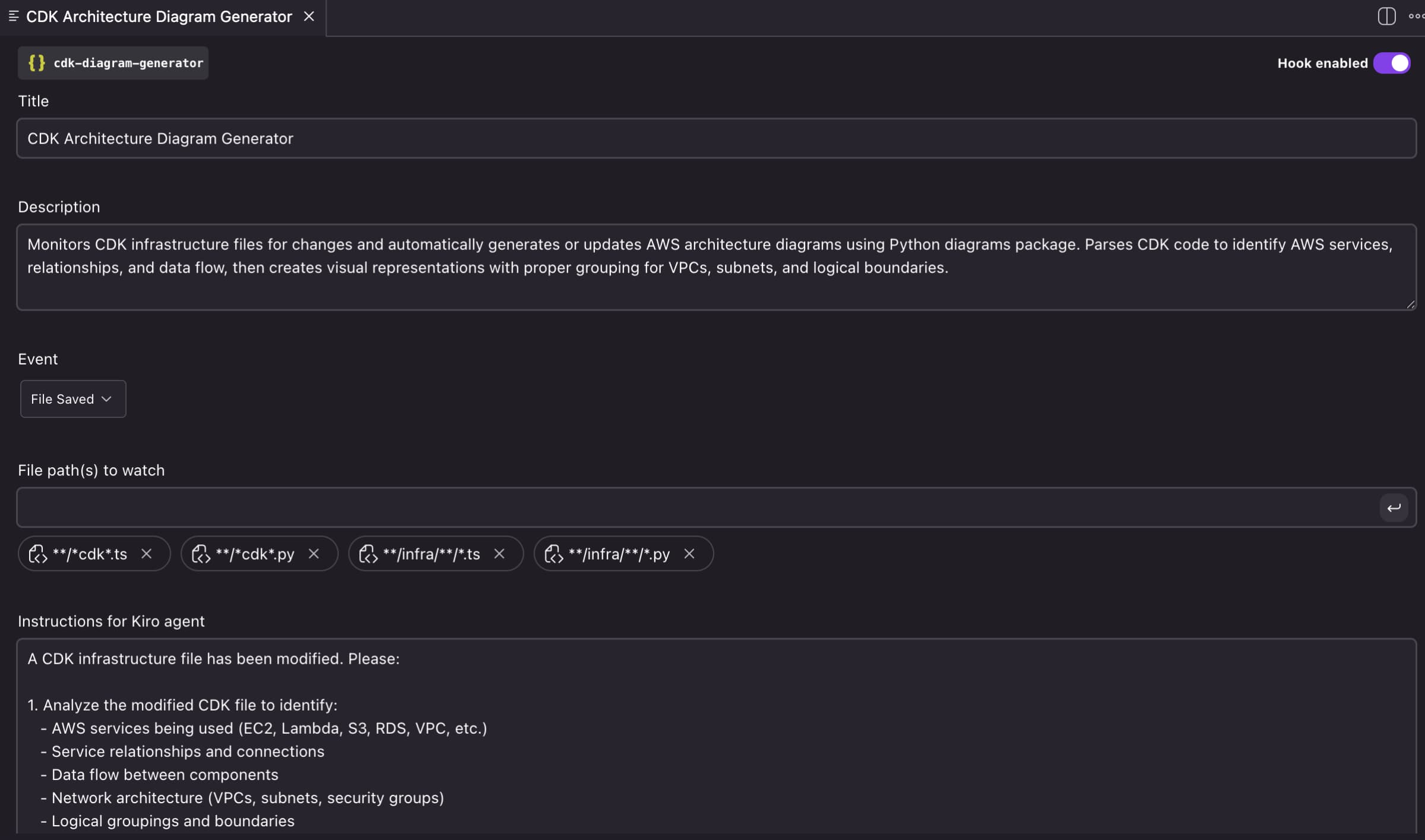
偵測與 AWS 相關的基礎架構檔案的變更,自動使用 AWS Diagram MCP Server,產生或更新 AWS 架構圖。我的專案的基礎架構檔案是統一放在 infra 目錄下,因此設定監控 **/infra/**/*.ts**/infra/**/*.py 檔案。

  1. Event: File Saved
  2. File path(s) to watch: **/infra/**/*.ts**/infra/**/*.py

kiro-hooks-cdk-architecture-diagram-generator-event-file-saved

1
2
3
4
5
6
7
8
9
10
11
12
13
14
15
16
17
18
19
20
21
22
23
24
25
26
27
<!-- Instructions for Kiro agent -->
A CDK infrastructure file has been modified. Please:

1. Analyze the modified CDK file to identify:
- AWS services being used (EC2, Lambda, S3, RDS, VPC, etc.)
- Service relationships and connections
- Data flow between components
- Network architecture (VPCs, subnets, security groups)
- Logical groupings and boundaries

2. Check if a previous architecture diagram exists in the project (look for .py files using the diagrams package or generated diagram images)

3. If a previous diagram exists, delete it before creating the new one

4. Generate Python code using the diagrams package that:
- Creates a visual architecture diagram
- Groups related services (VPCs, subnets, application layers)
- Shows connections and data flow with arrows
- Uses appropriate AWS service icons
- Includes clear labels and descriptions
- Follows AWS architecture diagram best practices

5. Output the complete Python diagrams code that can be executed to generate the diagram

6. Save the Python code to a file (e.g., `architecture_diagram.py`) and execute it to generate the diagram image

The diagram should be clear, professional, and accurately represent the infrastructure defined in the CDK code.

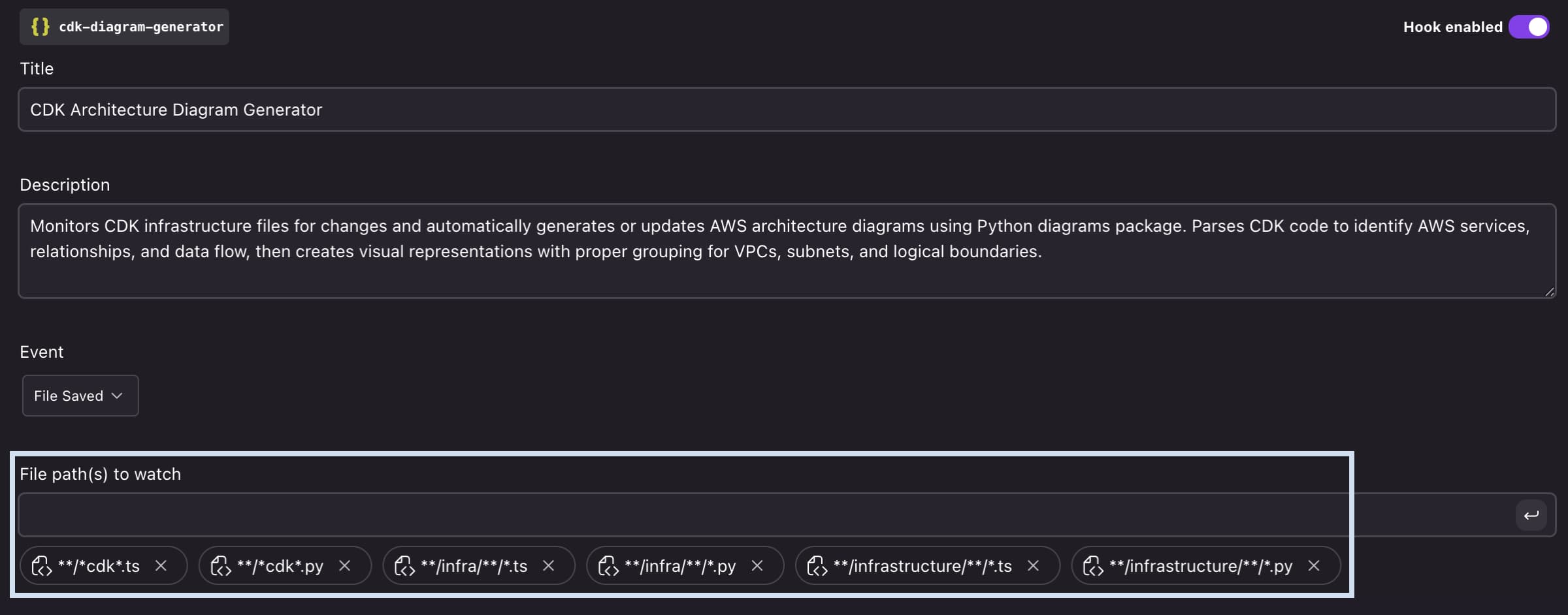
這邊要來分享一個 Kiro 很貼心的地方,自動生成的「File path(s) to watch」設定得相當寬鬆,幾乎把所有可能出現 AWS CDK 程式碼的路徑都涵蓋進來,如 **/*cdk*.ts**/*cdk*.py**/infra/**/*.ts**/infra/**/*.py**/infrastructure/**/*.ts**/infrastructure/**/*.py。包含常見命名 infrainfrastructure,甚至可能沒被放到特定資料夾裡都想到了(他知道我會亂放?!😂)。
kiro-hooks-cdk-architecture-diagram-generator-execute-hook-4

實作成果

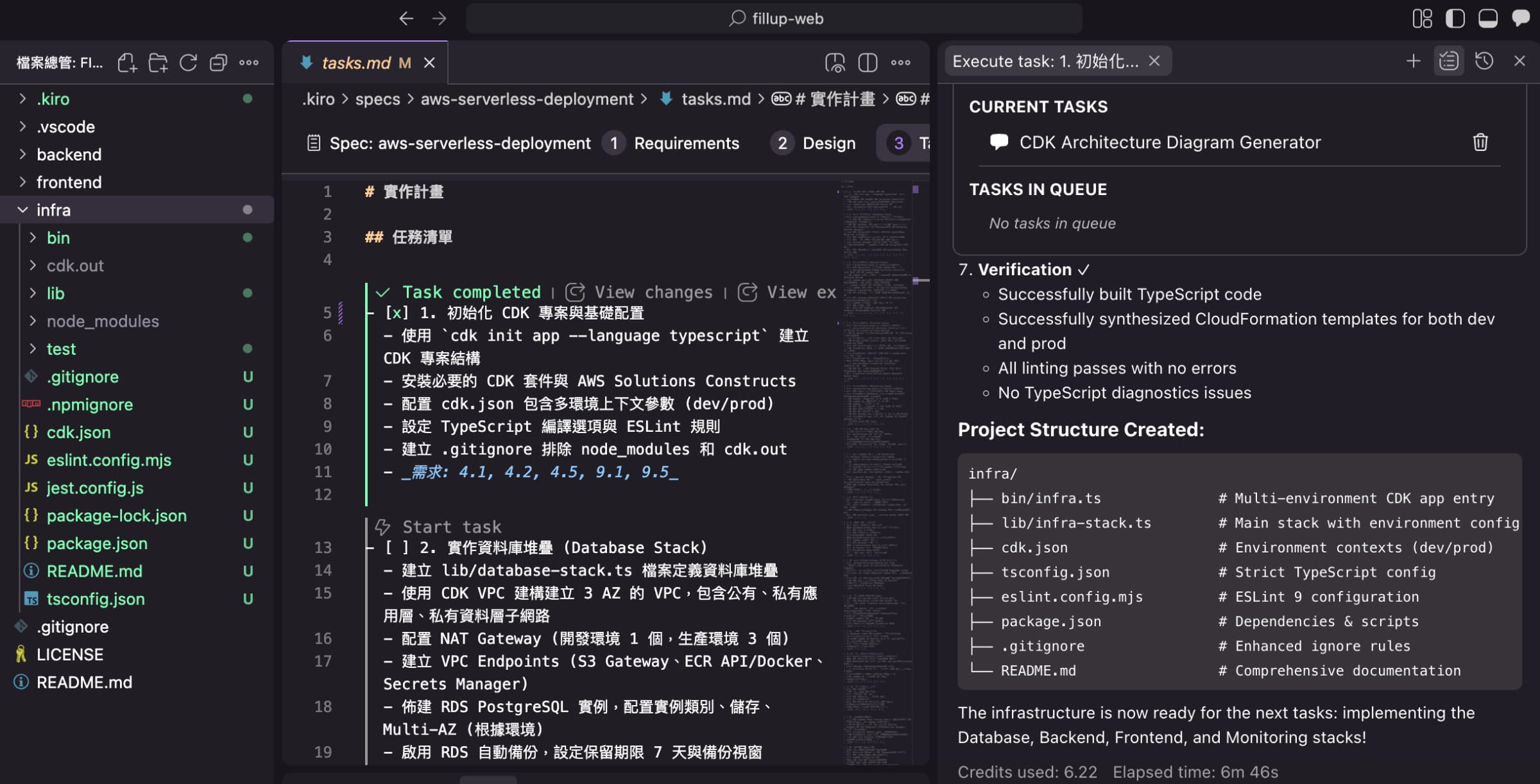
我以下是執行 AWS 雲端部署 Spec 的第1個任務,可參考 Kiro 為 AWS 雲端部署「aws-serverless-deployment」所產生的 Spec 文件內容: Requirements & Design & Task list

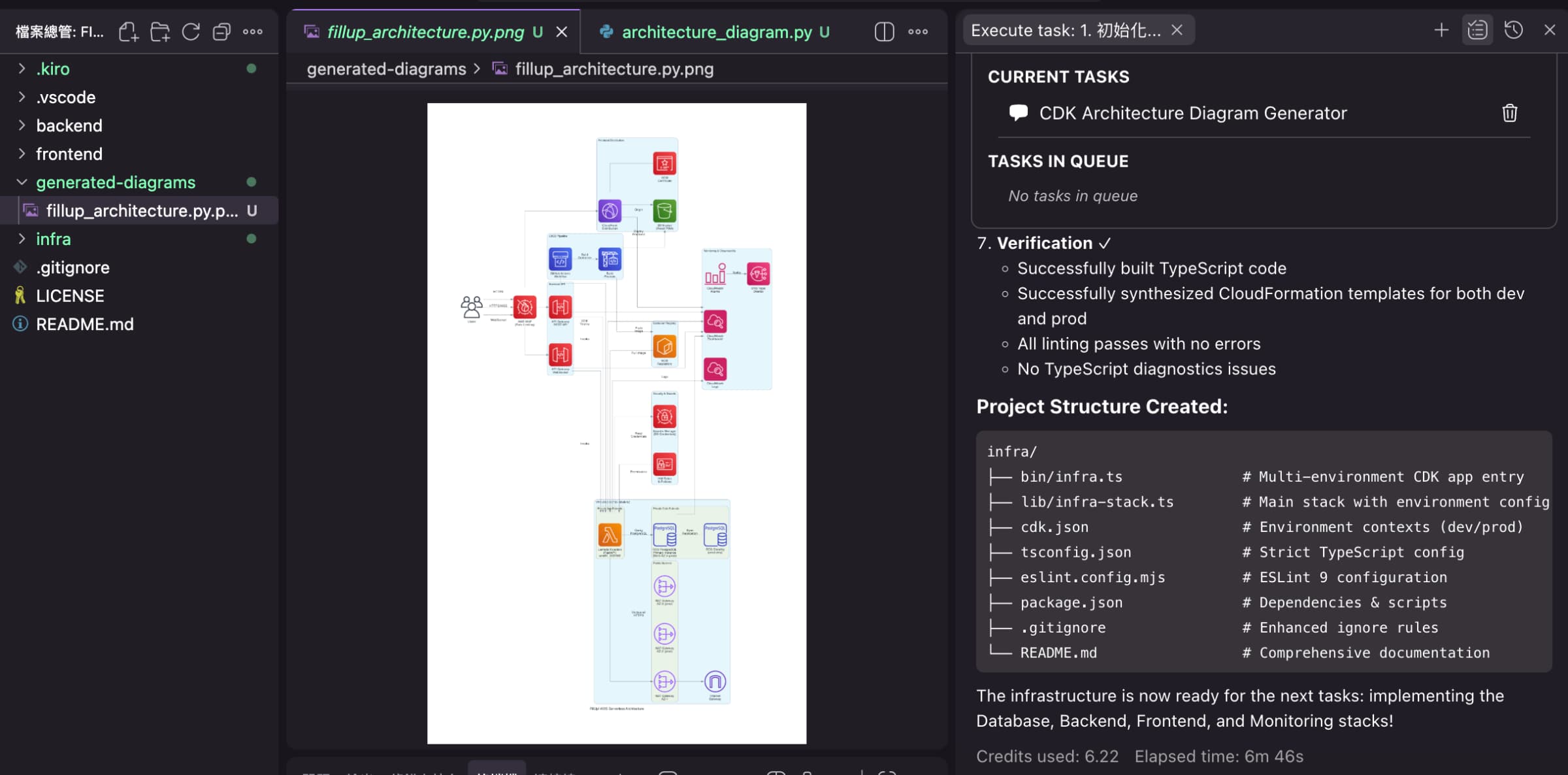
當 Kiro 偵測到 AWS 相關的基礎架構檔案有變更時,就會自動排程產生或更新 AWS 架構圖。
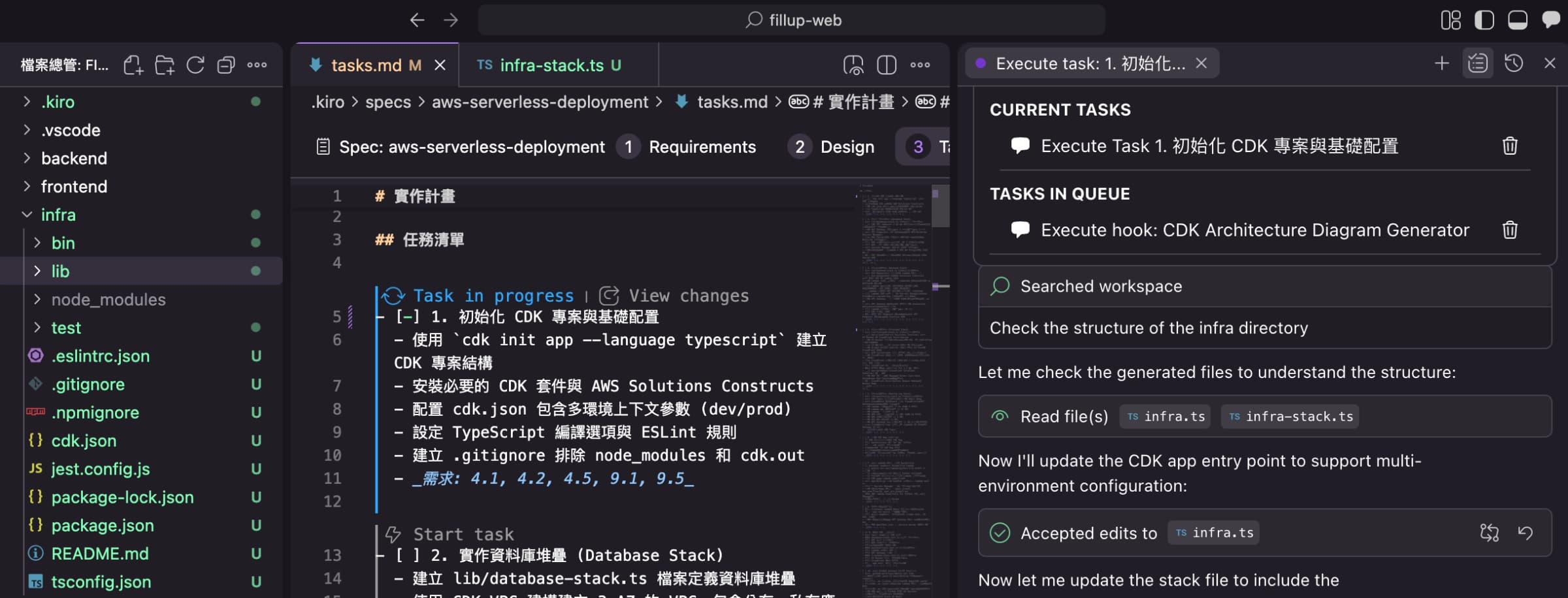
kiro-hooks-cdk-architecture-diagram-generator-execute-hook-1

kiro-hooks-cdk-architecture-diagram-generator-execute-hook-2

kiro-hooks-cdk-architecture-diagram-generator-execute-hook-3

經驗分享

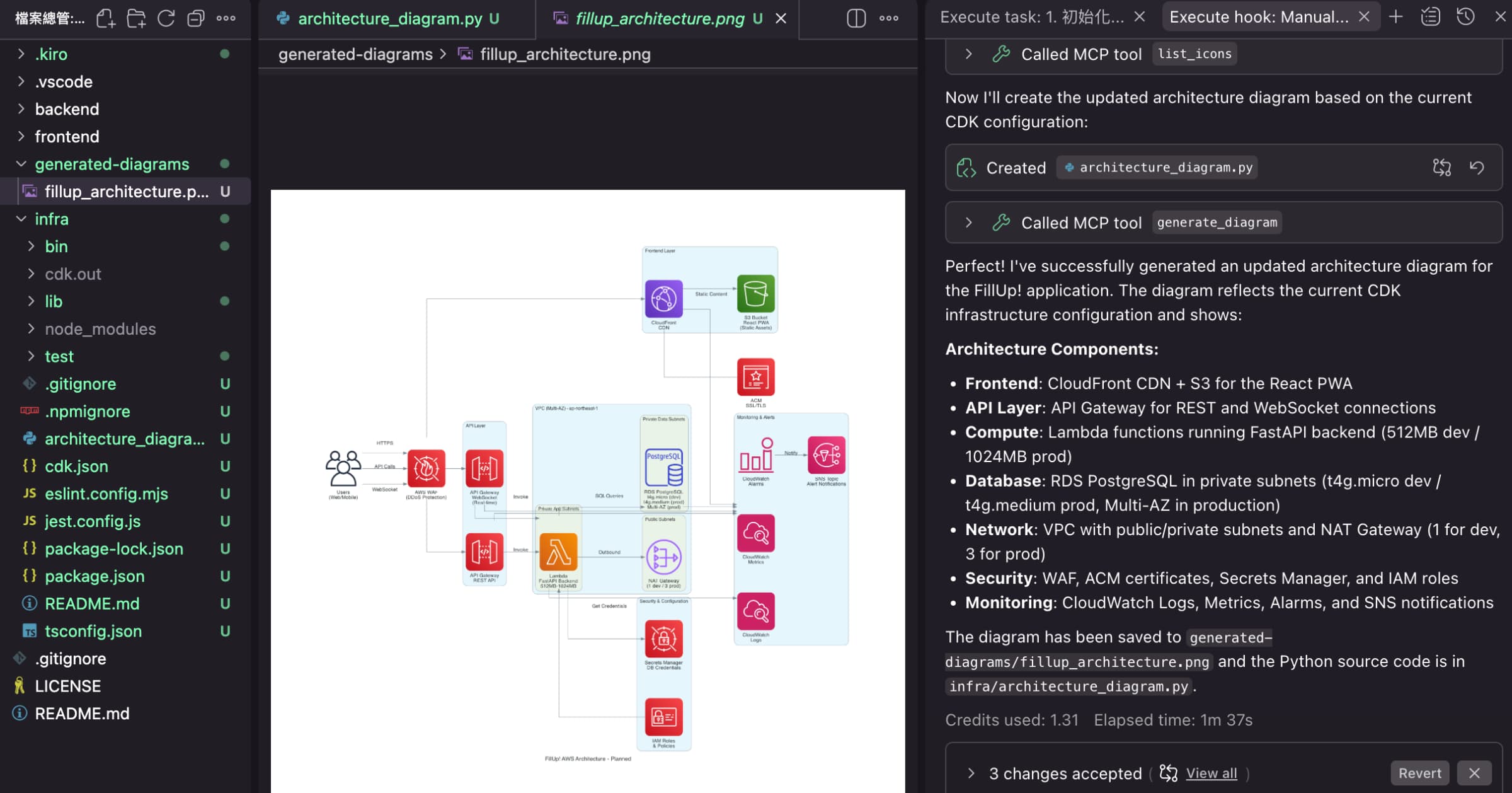
當 Hook 設定為自動觸發時,目前就無法以手動方式執行。因此,如果需要在特定情況下手動觸發,我建議另外建立一個相同設定的 Hook,並將觸發方式改為「Manual Trigger」。這樣就能在需要時隨時手動執行。而考量到 AI 工具更新速度…,我猜這個功能應該很快也會補上(小小許願😄)。
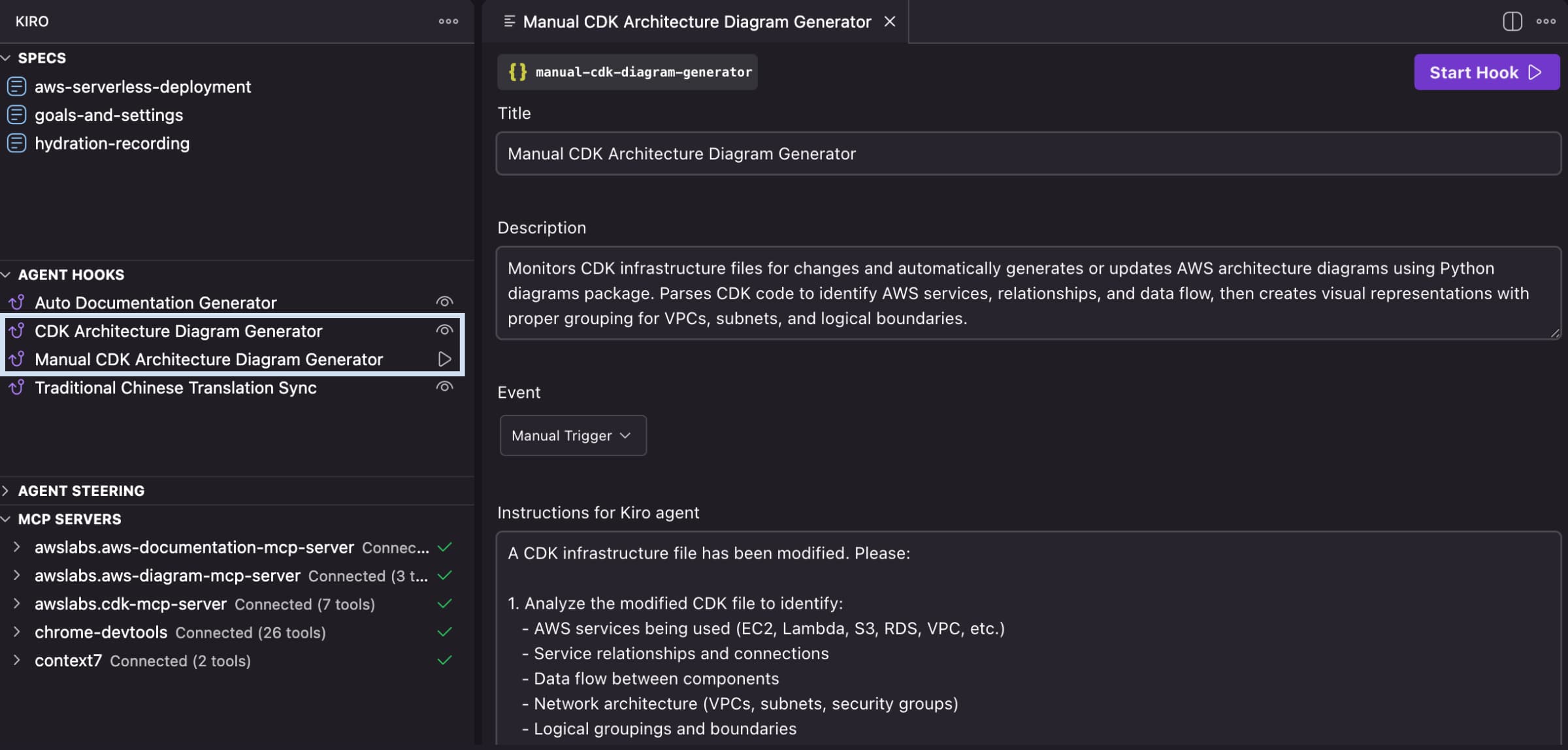
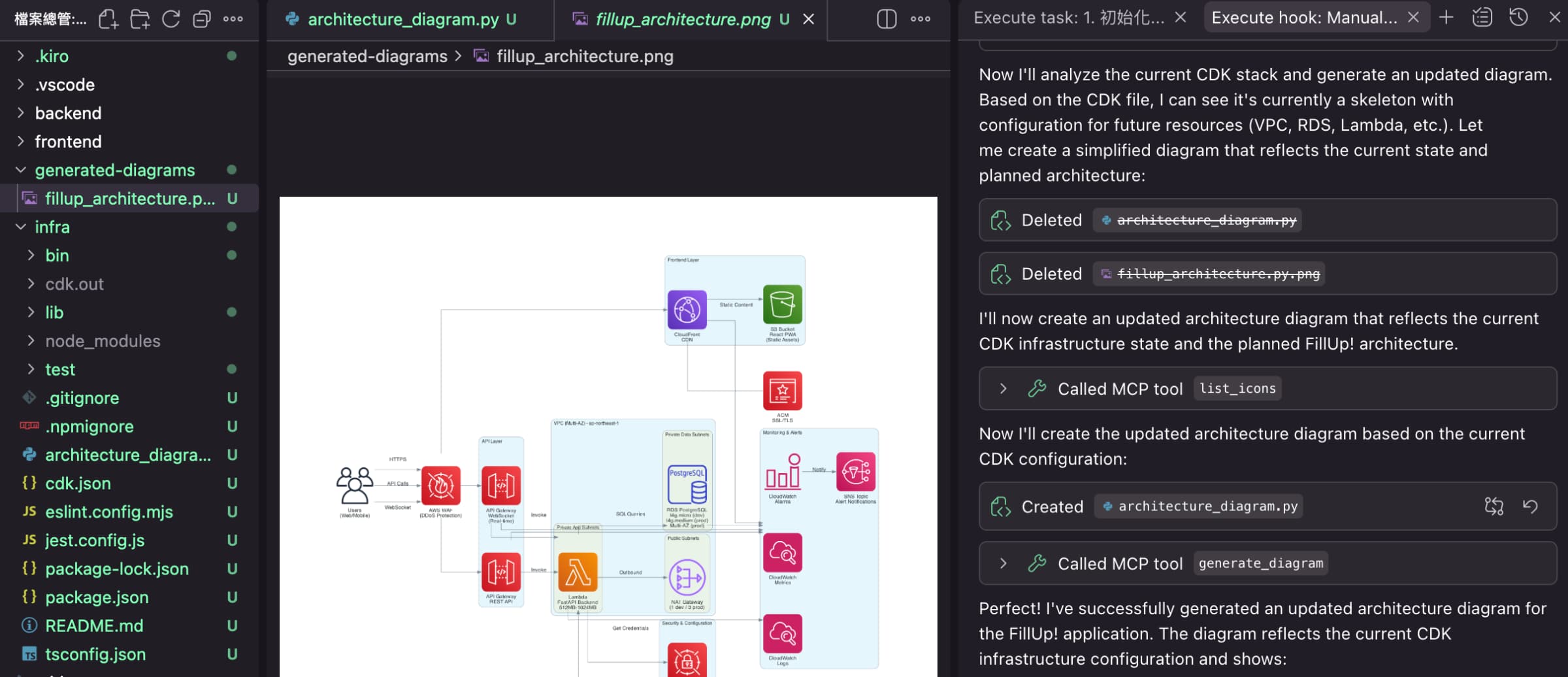
kiro-hooks-cdk-architecture-diagram-generator-event-manual-1

kiro-hooks-cdk-architecture-diagram-generator-event-manual-2

kiro-hooks-cdk-architecture-diagram-generator-event-manual-3

kiro-hooks-cdk-architecture-diagram-generator-event-manual-final-diagram

總結

本篇文章透過「文件產生器」、「同步翻譯」以及「AWS 架構圖」3個實戰案例,示範 Kiro Hooks 如何成為一個能自動執行重複性工作的自動化引擎,主動在開發過程中偵測特定事件並自動執行動作,確保程式碼與文檔的一致性,並持續協助維護專案品質,真正從「工具」進化為「智慧開發夥伴」。

回顧 Kiro 作為一個 Agentic IDE 的完整生態,可以看見一個具備清晰分工的自動化體系:

  • 核心方法|規格驅動開發(Spec-Driven Development)
    定義需求、技術架構、任務,用規格引導 AI 正確開發。
  • LLM(大腦)|推理與行動
    理解開發者意圖與程式碼邏輯,並提供程式碼與技術建議。
  • MCP(感知)|存取外部資料
    讓 AI 能存取各種資料來源、工具以及工作流程。
  • Hooks(反射)|自動化機制
    從被動到「主動行動」,當特定事件發生時自動執行流程。

👇 點此免費訂閱,不錯過任何更新

AWS Kiro 系列文章